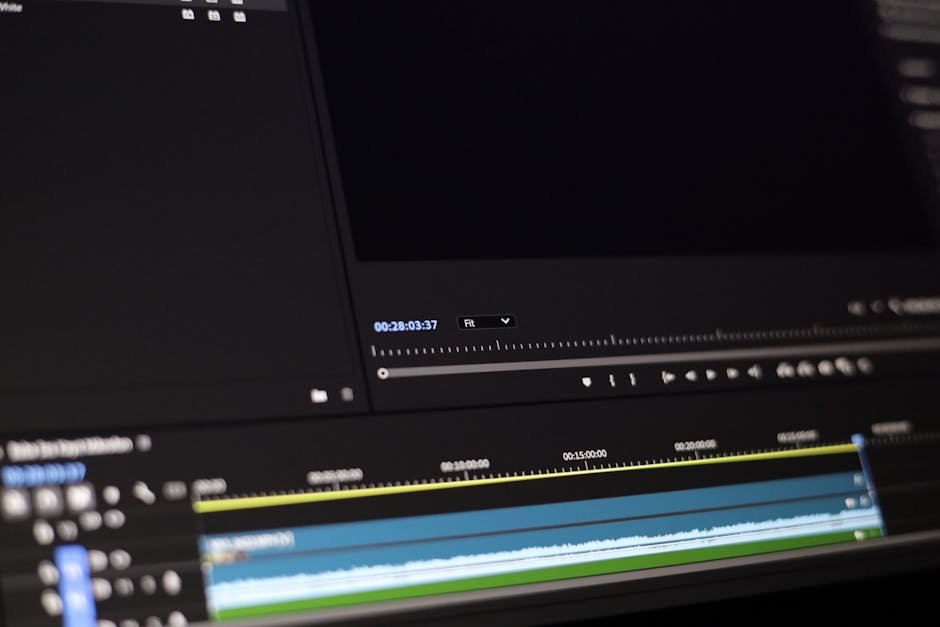
As video editing professionals decide on their next editing software upgrade, the question that frequently surfaces involves choosing between Descript and Adobe Premiere. Both platforms have carved out significant places in the video editing world, but they serve distinct purposes and audiences. For those seeking to make an informed decision, it’s crucial to break down the differences between these two to determine which best suits your specific needs in 2026.
| Feature | Descript | Adobe Premiere |
|---|---|---|
| Starting Price | $15/month (as of 2026) | $20.99/month (as part of Creative Cloud, 2026) |
| Platform Compatibility | Windows, macOS | Windows, macOS |
| User Interface | Simplified, for podcast and text-based editing | Complex, full-featured video editing |
| Editing Mode | Text and audio editing focused | Timeline-based advanced editing |
| Features for Podcasters | Excellent transcription and overdub | Moderate, lacks advanced podcast features |
| Color Correction Tools | Basic | Advanced and detailed |
| Audio Effects | Strong for audio editing | Comprehensive |
| Integration | Limited integrations | Wide range of third-party integrations |
Why Choose Descript for Simplified Podcast Editing?
Descript has gained popularity among podcasters and content creators who emphasize audio over elaborate visual production. Its strong point lies in simplified editing, particularly excelling in transcription and text-based editing, making it particularly suitable for podcasters who need to transcribe episodic content and quickly edit audio based on text. Descript’s interface, known for its ease of use, attracts beginners to intermediate users looking for a hassle-free way to produce audio and video content.
Analyses of user feedback reveal numerous positive reviews, especially regarding Descript’s transcription accuracy and capability to edit audio as if navigating a Word document. This unique approach greatly benefits those more familiar with text editing than traditional video timelines. Its Overdub feature that lets users create versions of their voice and correct text errors without needing to re-record entire sections is also a fan favorite, offering additional convenience for podcasters.
Moreover, Descript offers an affordable starting price of $15 per month in 2026, which includes basic podcasting functionalities integrated into its model. However, it’s not tailored for advanced video editing needs; professionals looking for comprehensive video project capabilities might find it lacking in sophistication. The absence of intricate color grading tools further indicates Descript’s niche targeting podcast producers and light content creators rather than full-scale video editors.
Who should consider something else? Advanced filmmakers or those needing meticulous timeline control might feel constrained by the relatively simplistic toolkit Descript provides. For those enthusiasts, exploring tools like Adobe Premiere would provide a better suit.
Alex’s Rating: 8.0/10 — Shines in audio transcriptions with some limitations in full-video editing.
💡 Pro Tip
Pair Descript with Make.com to automate podcast workflow and streamline episodic releases efficiently.
Sophistication Meets Creativity: Adobe Premiere
Adobe Premiere stands as a fortress in the realm of professional video editing. With a vast suite of tools suited for television broadcasting to feature films, Premiere offers a staggering array of options for users who need advanced control over their editing projects. It thrives where detail and precision are prerequisites, thanks to its comprehensive features including color grading, VR editing, and expansive third-party integration support.
User feedback primarily highlights Premiere’s robust capabilities when projects require nuanced control over video assets. Its integration into Adobe’s Creative Suite allows seamless transitions between Adobe After Effects, Audition, and more, meaning users essentially gain an entire ecosystem at their fingertips. This is especially advantageous for editors focusing on detailed post-production work involving animations or complex sound designs.
Priced at $20.99 per month in 2026 as a standalone within the Adobe Creative Cloud, it demands a steeper investment. Yet, for many professionals, this price reflects its unparalleled capacity to handle complex video editing tasks at a commercial level. The flip side is its steeper learning curve, which can be daunting for beginners who may find the interface overwhelming and unintuitive.
Who may want to consider alternatives? For those new to video editing or lacking the time to master a sophisticated suite like Premiere, Descript or other simpler tools might serve as gentler introductory platforms. But for creative professionals, Adobe Premiere’s expansive capabilities are unbeatable, making it a cornerstone for serious video production endeavors.
Alex’s Rating: 9.2/10 — Unmatched for professionals seeking robust editing tools but may intimidate novices with complexity.
“Adobe Premiere remains the choice for high-level video production in 2026, with outstanding control and integration options.”
Editing Interfaces: Comparing User Experience
The distinction in user interfaces between Descript and Adobe Premiere epitomizes their respective user bases. Descript employs a word processor-like interface, allowing users to edit audio and video content directly from transcripts. This aspect radically simplifies the process for many, aligning it closer to podcast editing where narratives dominate the editing focus. Beginners often express satisfaction due to the reduced learning curve.
In contrast, Adobe Premiere presents a more traditional timeline-based editing environment. For seasoned editors and filmmakers, this provides the indispensable depth needed for precise edits. However, the breadth of options can be difficult to navigate initially, posing a barrier to those without significant editing knowledge or experience with Adobe’s ecosystem.
Reviews and feedback suggest that Premiere’s complexity often requires tutorial support or professional training, which Adobe does provide extensively but essentially increases the time commitment for new users. Despite this, the extensive customization available within Adobe Premiere allows for a tailored editing experience unmatched by other more streamlined software packages, a feature seasoned editors appreciate.
Ultimately, choosing between these interfaces boils down to assessing your project’s demands. Touching everyday editing needs focused on narrative-driven media, Descript excels without the need for much additional learning. Projects requiring detailed video and animation capabilities would better leverage Adobe Premiere’s extensive suite of tools.
Alex’s Rating: 7.8/10 for Descript’s interface, 9.1/10 for Adobe Premiere’s interface — The user experience is streamlined for Descript users, whereas Adobe excels in accommodation with high detail.

Audio Capabilities: Making a Distinct Impact
Audio plays a significant role in both Descript and Adobe Premiere, though they cater to different priorities of audio manipulation. Descript’s audio editing mimics text editing, ideal for those aiming to repurpose or transcribe audio content efficiently. Its capabilities in transcribing and audio refinement have been warmly received by podcast creators and transcription specialists according to user feedback.
Adobe Premiere, while providing ample audio editing tools, is not designed primarily around audio-first editing needs. It focuses on creating complex audio and video projects together, allowing for comprehensive post-production processing using Adobe Audition, which fits alongside its video editing capabilities. It is this synergy within the Adobe suite that can be particularly powerful, letting professionals combine diverse media types in a coherent workflow.
From a pricing perspective, Descript remains the more economical choice, especially for audio-focused editing at $15/month. The added functionalities of Adobe Premiere, on the other hand, justify its higher cost only when those extended features are put to full use. For purely audio-heavy content, especially podcasting, Descript’s setup feels more user-friendly and economically sustainable.
Alex’s Rating: 8.5/10 for Descript’s audio tools, 9.0/10 for Adobe Premiere’s audio integration — applies differently based on content needs.
⚠️ Watch Out
Make sure your primary focus is clearly defined: Descript shines for podcasting, while Adobe Premiere dominates full content creation. Choosing the right software is imperative for both budget and time efficiency.
Color Correction and Visual Effects: Aesthetic Control
When it comes to applying visual effects and color correction, Adobe Premiere takes the lead with its intricate toolset tailored for movie-grade projects. It offers a high degree of control over color manipulation, including nuanced Lumetri color tools and a variety of presets that provide editors the ability to adjust the aesthetic quality of their footage professionally. Reviewers have applauded Adobe for its expansive ability to fine-tune visuals, which is invaluable for industry professionals working on commercial projects.
Descript, conversely, is suitable for simpler video adjustments and lacks the advanced visual toolkit found in professional-grade editors like Adobe Premiere. Its visual capabilities suffice for small-scale projects or for those not heavily demanding aesthetic edits, primarily due to its text-centered editing approach.
The selection between these two further underscores cost-efficiency. Variable pricing highlights the investment necessary depending on whether your work demands the comprehensive resources of Adobe for in-depth visual alterations or Descript for essential video edits intertwined with audio focus.
Alex’s Rating: 6.5/10 for Descript’s visual editing, 9.4/10 for Adobe Premiere’s visual effects — Adobe Premiere’s visual prowess makes it an essential tool for high-detail requirements.
Cloud and Team Collaboration: Working Together Remotely
Both tools have embraced cloud-based functionalities to enable collaborative workflows, although to varying extents and with distinct optimum productivity in play. Adobe Premiere employs Adobe Creative Cloud’s expansive infrastructure to enhance team collaboration, an advantage extensively highlighted in user reviews. This cloud integration supports seamless projects sharing and concurrent team workflows, making it a valid choice for teams working remotely or across multiple locations.
Descript also features some collaborative functionalities in its cloud environment but with less reach compared to Adobe. It’s ideally aligned towards smaller teams or individual content creators who focus on podcasts and straightforward video content, offering some collaborative ease through its transcription and text editing formats.
Choosing between the two often ties back to the scale of collaborative endeavors. Teams requiring integrated workflows across varied media elements will gravitate towards Adobe Premiere’s interconnected cloud environment, while more isolated or smaller-scale creators might find Descript’s collaborative interface sufficient for their needs.
Alex’s Rating: 7.3/10 for Descript’s cloud collaboration, 9.1/10 for Adobe Premiere’s cloud ecosystem — Premiere triumphs in a collaborative context, suited for larger teams.
Mistakes That Cost You Money: What Most People Get Wrong
When selecting between Descript and Adobe Premiere, users frequently overlook critical considerations that can lead to costly errors. First, many novices underestimate Descript’s limited visual capabilities despite its strong audio editing features, investing in it mainly for audio-narrative purposes without realizing its confinement for video edits.
Secondly, choosing Adobe Premiere without accounting for its learning curve can result in unmatched expectations, especially among self-taught users unaware of the necessity for advanced training or the potential additional software investments like Adobe After Effects for specialized edits.
Lastly, team collaboration needs are often improperly assessed. Opting for Descript for collaborative efforts might be practical for small audio teams but inadequate for large, multi-faceted teams. Proper assessment of your project scope against tool capabilities and collaboration demands will ensure your investment aligns with your workflow needs.
The Verdict: Which One Actually Wins?
Deciding the winner between Descript and Adobe Premiere really comes down to understanding your primary editing focus. For audio-heavy projects, particularly podcasts or text-driven videos, Descript provides an elegantly simple solution, especially favorable for those on a budget or recent to this area of media. On the other hand, if your projects persistently require refined video editing or you’re part of expansive production teams, Adobe Premiere offers a comprehensive arsenal of tools essential for creative storytelling and professional-standard output.
As runner-ups, Descript presents a highly economical choice for budget-conscious creators predominantly working with audio, while Adobe Premiere stands as the premier choice for enterprise-level teams demanding expansive editing and production solutions.
Alex’s Winner: Adobe Premiere for Creative Control — The tool of choice for serious video editing professionals seeking unmatched flexibility and feature-rich integration.
FAQs About Descript and Adobe Premiere
Is Descript better than Adobe Premiere for podcast editing?
Descript is often preferred for podcast editing due to its text-based audio editing and transcription capabilities. It simplifies the audio editing process, making it suitable for podcasts and other audio-first formats.
What are the main differences in pricing between Descript and Adobe Premiere?
Descript starts at $15 per month, focusing on affordability for audio editing, whereas Adobe Premiere costs $20.99 per month as part of Adobe’s Creative Cloud, reflecting its extensive video editing features.
Can Adobe Premiere handle audio editing efficiently?
While Adobe Premiere is primarily a video editing tool, it also offers comprehensive audio editing capabilities. It integrates well with Adobe Audition for particularly complex audio workflows.
Is Descript’s transcript accuracy reliable?
User reviews suggest that Descript is highly reliable for transcript accuracy, making it a favorite for creators who need efficient audio-to-text conversions and accurate transcription for content repurposing.
Are there any integration options for Descript?
Descript offers limited integration when compared to Adobe Premiere’s broad third-party partnerships. However, it supports direct uploading to platforms like YouTube, suitable for small-scale users.
Does Adobe Premiere offer enough training resources for beginners?
Adobe provides extensive tutorials and resources for beginners to learn Premiere’s functions. Despite its complexity, these resources are designed to assist new users in overcoming the learning curve associated with professional-grade software.
Can Descript handle video effects and color grading?
Descript is not primarily intended for advanced video effects or color grading, focusing more on audio editing and post-production workflows for audio-driven content creators.
How suitable is Adobe Premiere for team collaboration?
Adobe Premiere uses Creative Cloud’s infrastructure to facilitate seamless team collaboration, making it highly suitable for distributed teams working on complex, multi-layered video projects.
Test everything. Trust nothing. — Alex
Ready to Level Up?
Join Creator Trail’s community of smart creators who’ve ditched the fluff and found tools that actually work. Get expert reviews, honest comparisons, and practical guides — all designed to save you time and money. Grab the complete AI Tools Playbook here — it’s the shortcut to finding tools that fit your workflow, not the other way around.
Explore More on the Trail Network
Discover expert guides across our sister sites: AI Tool Trail for AI tool reviews, Software Trail for SaaS reviews, Automation Trail for workflow optimization, Remote Work Trail for distributed teams, Freelancer Trail for independent professionals, EdTech Trail for online learning, and Side Hustle Trail for entrepreneurship.
Recommended Tools We Use
Here are the tools the Trail Network team relies on every day: Make.com for workflow automation, NordVPN for online security, Tidio for customer support, B12 for website building, AccuWebHosting for reliable hosting, and Pictory for video creation.

Hey, I’m Alex — a creator tool obsessive who tests every platform so you don’t have to. Honest reviews, zero BS.
Leave a Reply