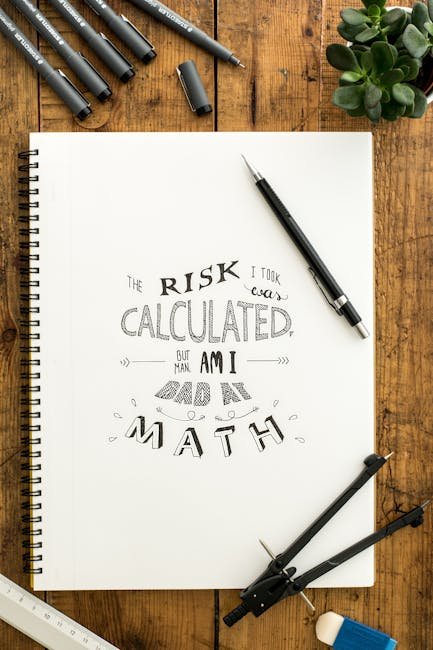
What if I told you that the right font could make or break your project? Fonts are more than just letters on a screen; they’re a critical part of your design language and can influence how your message is received. Today, I’m diving into the world of font tools for creators. Whether you’re a seasoned designer or just starting out, these tools can elevate your work to new heights.
Why Fonts Matter
Fonts play a pivotal role in the overall aesthetic of your project. They can convey emotions, set the tone, and even affect readability. Choosing the right font can mean the difference between engaging your audience or losing them entirely. So, what tools can help you perfect your typography game?
Font Tools Overview
Let’s break down some of the best font tools I’ve tested. Each has its own strengths and weaknesses, and I’ll guide you through who should use them, and why.
1. Adobe Fonts
Adobe Fonts offers a comprehensive library of high-quality typefaces. Integrated seamlessly with Adobe Creative Cloud, it’s a no-brainer for those already invested in Adobe’s suite of tools. I found its synchronization feature incredibly useful; any font you activate in Adobe Fonts becomes instantly available across all your Adobe apps.
– **Features**: Extensive library, seamless Adobe integration, web font support.
– **Pricing**: Included with Adobe Creative Cloud subscription.
– **Best for**: Designers heavily using Adobe products.
– **Limitations**: Costly if you’re not already an Adobe user.
**Rating**: 9/10. Perfect for Adobe users, but the cost can be prohibitive for others.
2. Google Fonts
Google Fonts is a free resource with a wide range of open-source fonts. It’s particularly useful for web designers, given its easy integration into websites. I’ve used Google Fonts in many of my web projects, and the ability to quickly embed fonts with a line of code is a major time-saver.
– **Features**: Free and open-source, easy web integration, extensive language support.
– **Pricing**: Free.
– **Best for**: Web designers on a budget.
– **Limitations**: Limited selection compared to premium services.
**Rating**: 8/10. Perfect for budget-conscious web designers, but lacks the depth of paid libraries.
3. FontBase
FontBase is a fantastic tool for managing your font library. It supports all major font formats and offers organizational tools that make it easy to keep track of your typefaces. During my testing, I appreciated its clean interface and the ease with which I could activate and deactivate fonts.
– **Features**: Font management, support for various formats, synchronization across devices.
– **Pricing**: Free with a premium version available.
– **Best for**: Designers needing robust font management.
– **Limitations**: Premium features locked behind a paywall.
**Rating**: 7/10. Great for organization, but premium version might be necessary for some.
4. FontStruct
FontStruct is a unique tool that lets you create your own fonts from scratch. Its user-friendly interface provides a grid-based system for designing custom typefaces. I spent a few hours crafting a quirky display font, and the process was surprisingly intuitive.
– **Features**: Custom font creation, community sharing, easy-to-use interface.
– **Pricing**: Free.
– **Best for**: Creators looking to design custom fonts.
– **Limitations**: Limited to grid-based designs, which may not suit all needs.
**Rating**: 8/10. Ideal for custom creations, but not for those seeking pre-made fonts.
5. WhatFontIs
Ever come across a font and wondered what it was? WhatFontIs can identify fonts from images, a feature I’ve found invaluable when trying to match a specific style. It provides both free and premium font suggestions, which broadens your options significantly.
– **Features**: Font identification from images, extensive database, browser extension available.
– **Pricing**: Free with premium options.
– **Best for**: Designers needing font identification.
– **Limitations**: Accuracy can vary depending on image quality.
**Rating**: 8/10. A must-have for identifying mystery fonts, though it’s not always perfect.
Comparison Table
| Tool | Features | Pricing | Best For | Rating |
|---|---|---|---|---|
| Adobe Fonts | Extensive library, Adobe integration | Included with Adobe CC | Adobe users | 9/10 |
| Google Fonts | Open-source, web integration | Free | Web designers | 8/10 |
| FontBase | Font management, format support | Free/Premium | Organized designers | 7/10 |
| FontStruct | Custom font creation | Free | Custom creators | 8/10 |
| WhatFontIs | Font identification | Free/Premium | Font detectives | 8/10 |
Who Should Use These Tools?
Each tool has its specific use cases, and choosing the right one depends on your needs:
– **Adobe Fonts**: Best for professionals who are already using Adobe’s suite of tools.
– **Google Fonts**: Ideal for web designers who need free, easy-to-integrate fonts.
– **FontBase**: Perfect for designers who need a robust way to manage their font library.
– **FontStruct**: Great for those looking to create custom fonts without investing in expensive software.
– **WhatFontIs**: Essential for anyone needing to identify unknown fonts quickly.
My Verdict
When it comes to choosing font tools, it’s all about aligning with your specific needs. If you’re an Adobe user, Adobe Fonts is a no-brainer. For web designers, Google Fonts is a fantastic free option. Those looking for font management will find FontBase invaluable, while FontStruct is perfect for bespoke font design. Lastly, WhatFontIs is a handy tool for anyone needing to identify fonts on the fly.
FAQ
What is the best free font tool for web designers?
Google Fonts is the best free tool for web designers. It offers an extensive library of open-source fonts that are easy to integrate into any website, making it ideal for budget-conscious projects.
How can I manage my font library effectively?
FontBase is a great option for managing your font library. It supports all major font formats and offers a clean interface to organize and activate fonts as needed.
Can I create my own fonts without expensive software?
Yes, FontStruct allows you to create custom fonts for free. Its grid-based interface is user-friendly, making it accessible for beginners looking to design unique typefaces.
How accurate is WhatFontIs in identifying fonts?
WhatFontIs is generally accurate but depends heavily on the quality of the image uploaded. While it’s a powerful tool, results can vary, so it’s best used in conjunction with other research methods.
Is Adobe Fonts worth the cost?
If you’re already using Adobe Creative Cloud, Adobe Fonts is worth it due to its seamless integration. However, if you’re not an Adobe user, the cost might be prohibitive compared to other free options.
Test everything. Trust nothing. — Alex
📘 Want more? Grab my free ebook: 50 Best Free AI Tools in 2026

Hey, I’m Alex — a creator tool obsessive who tests every platform so you don’t have to. Honest reviews, zero BS.
Leave a Reply